Project Scheduling
Your crew always knows
what's next
Build project timelines, assign tasks to crew, and share a live schedule with your client — all in one place. No more morning calls asking what to do today.
VIDEO PLACEHOLDER
Schedule walkthrough · ~2 min
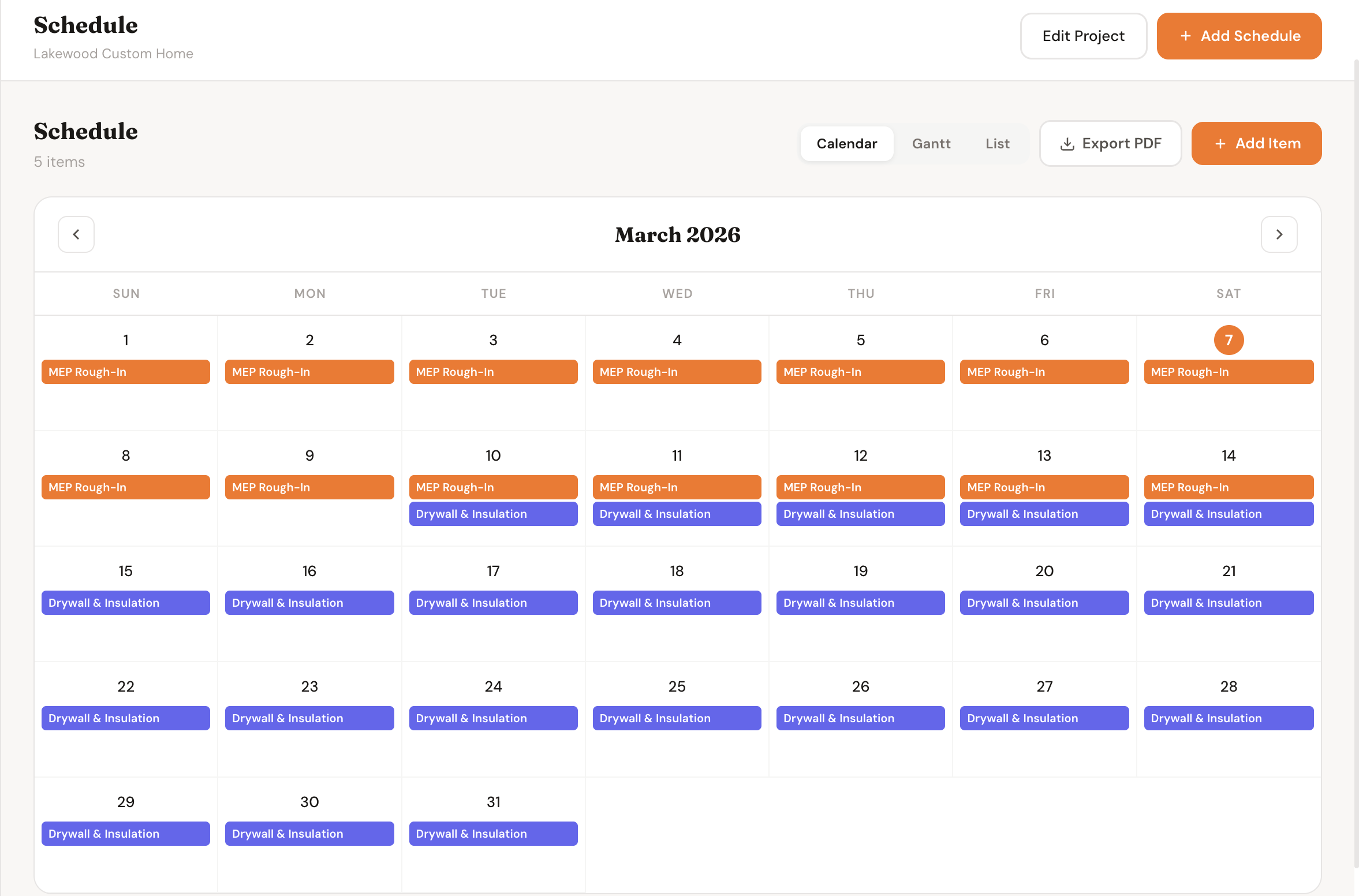
Every task on the project — who's doing it, when it starts, and when it's due
How It Works
From blank timeline to running crew
Four steps from starting a project to having a schedule your crew and client can see in real time.
1
Build your timeline
Add tasks, set start and end dates, and drag to adjust. Lay out the full project in minutes — from demo to final walkthrough.
2
Assign to your crew
Assign each task to a team member or subcontractor. They see exactly what they're responsible for and when.
3
Track progress live
Mark tasks complete as work finishes. The schedule updates in real time so you always know where the project stands.
4
Share with the client
The client sees a clean, read-only view of the schedule in their portal. No more "when will you be done?" texts.
See It In Action
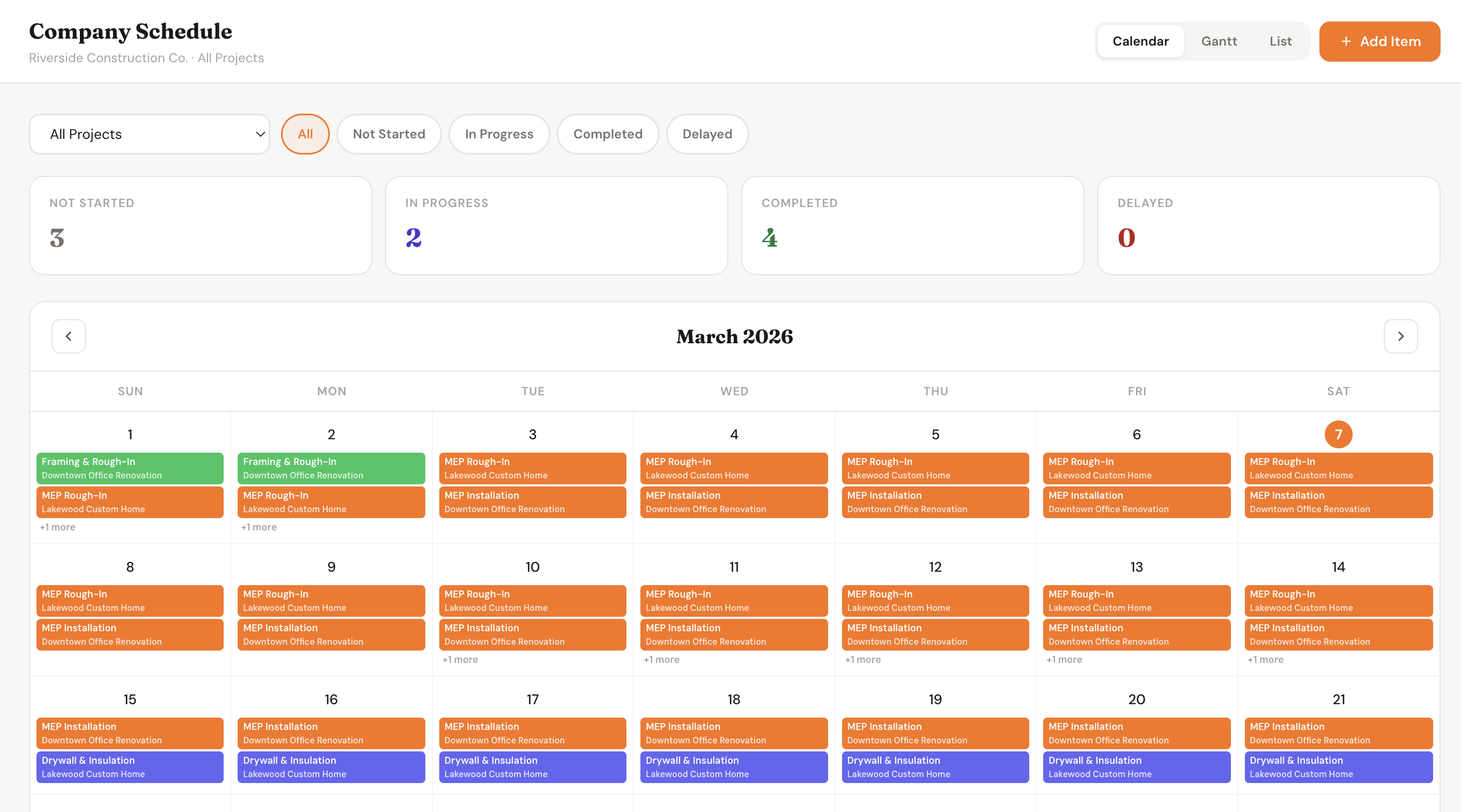
Every view you need to stay on track
Features
Everything you need to run a tighter job
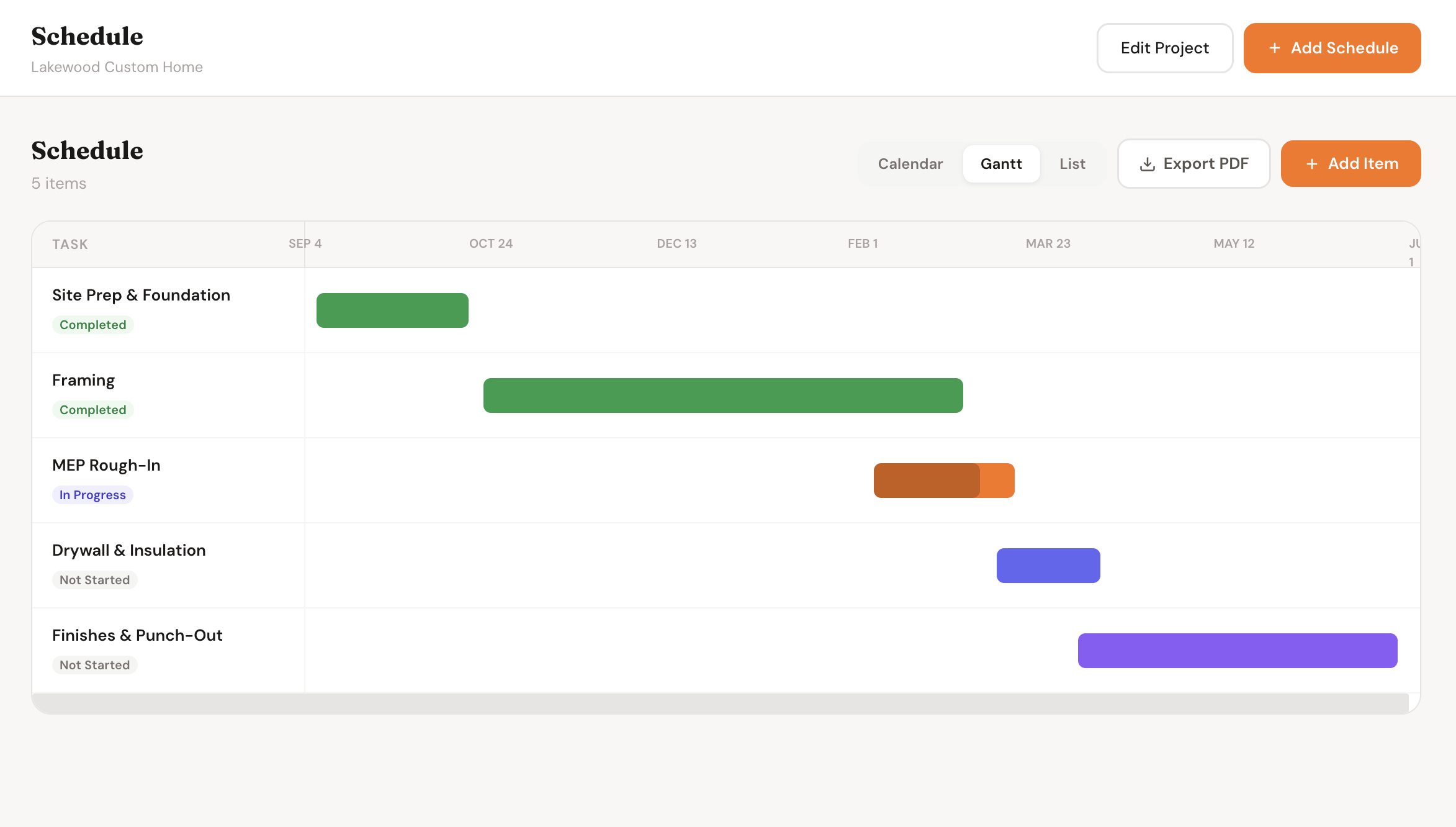
Visual Gantt Timeline
Lay out your entire project on a drag-and-drop timeline. See every phase and task side by side so you can plan around dependencies before they become problems.
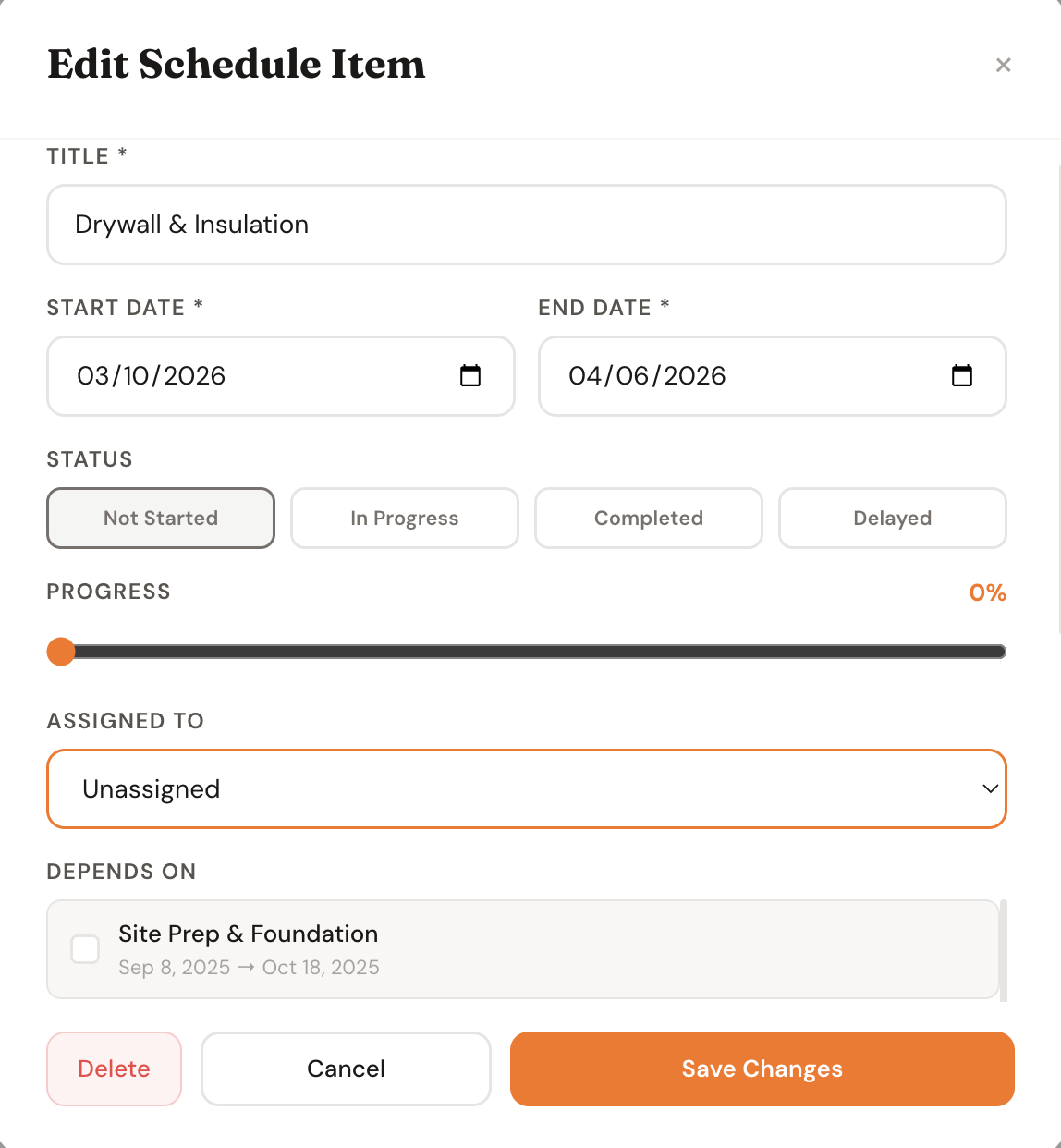
Crew Assignment
Assign tasks to specific team members or subs. Everyone sees what they're responsible for, when it starts, and when it needs to be done.
Live Progress Tracking
Mark tasks complete as work finishes. The schedule reflects reality in real time — no end-of-day check-ins required to know where the project stands.
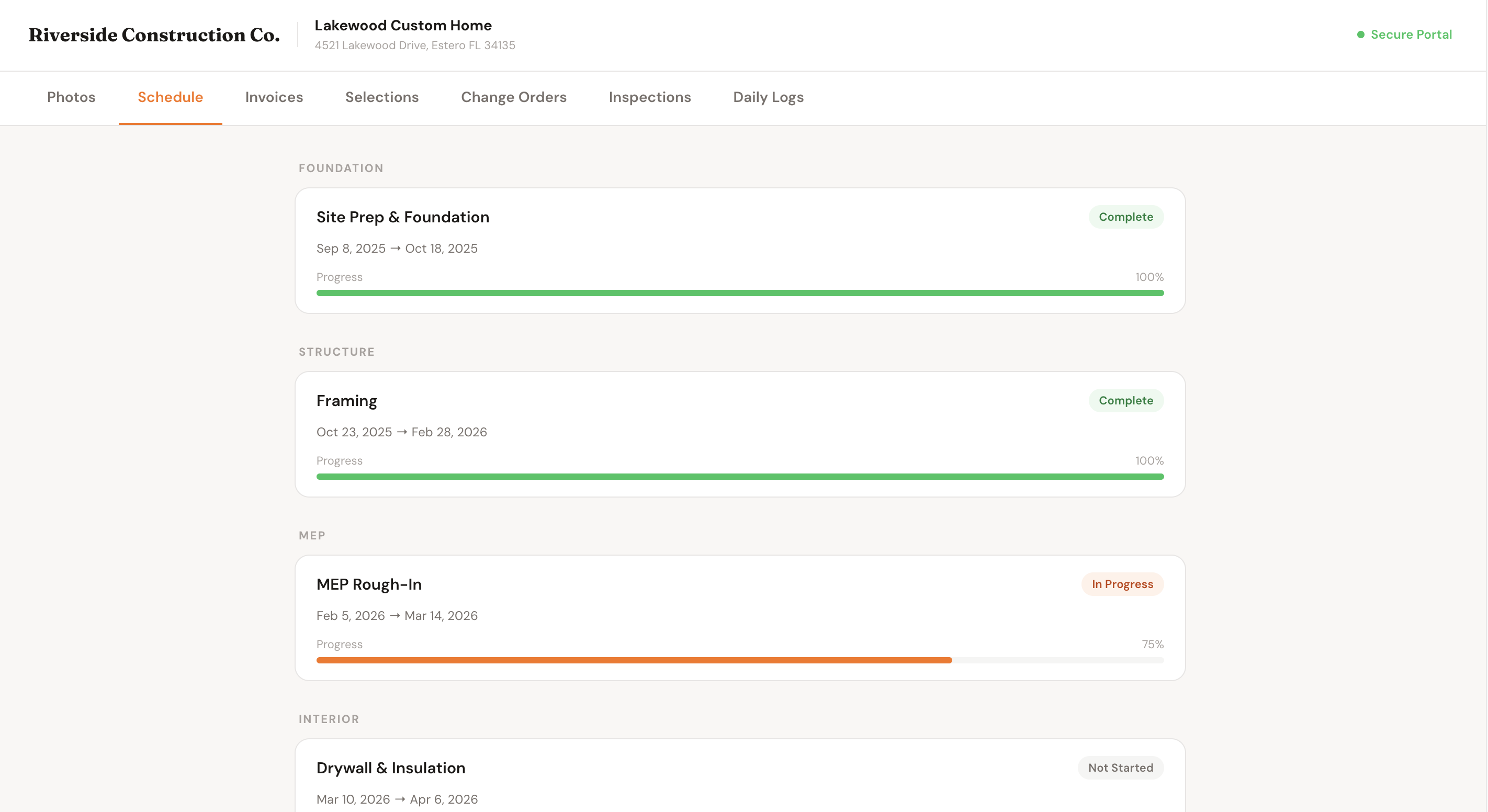
Client Schedule Sharing
Share a read-only live schedule with your client directly in their portal. They see upcoming milestones and progress without ever needing to call you.
Company-Wide Dashboard
See every active project's schedule in a single view. Identify crew conflicts, overbooked weeks, and gaps across your entire business before they happen.
Milestone Tracking
Set key milestones like framing complete, rough-in done, or final inspection. Mark them as reached and let the client see the project hitting its targets.
Why It Matters
Most delays are caused by bad communication, not bad work
Crew showing up without a clear plan for the day wastes hours — a shared schedule eliminates the guesswork
Clients who don't know what's happening make anxious calls and lose confidence — a live schedule keeps them informed without the extra work
Scheduling conflicts across projects stretch your crew thin — the company-wide view lets you spot them before they cause delays
Missed milestones compound into blown deadlines — tracking them explicitly keeps everyone accountable to the timeline
One view
For every project across your entire company
Live
Schedule updates the moment a task is marked complete
Zero calls
Clients check the portal instead of texting you
Full crew
Every team member knows their tasks for the week
Who It's For
Built for contractors running multiple jobs
General Contractors
Coordinate subs across multiple phases with a timeline everyone can see. Stop being the middleman for every "when are you coming?" question.
Custom Home Builders
Long projects with dozens of tasks need a real schedule, not a whiteboard. Keep the job moving and the client confident through every phase.
Remodelers
Tight kitchens and bathrooms mean every trade needs to show up in the right order. Schedule them right the first time and avoid costly revisits.
Project Managers
Running multiple jobs means needing one place to see everything. The company-wide view is built for the person who has to know where every crew is.
FAQ
Common questions
Do crew members need an account to see their tasks?
Yes, crew members sign in with their own account to see tasks assigned to them. You control what each team member has access to.
Can clients see the full schedule or just milestones?
You control what clients see. You can share the full task-level schedule or a simplified milestone view depending on what makes sense for the project.
Can I have multiple projects running at the same time?
Yes. Each project has its own schedule, and the company-wide dashboard shows all active project schedules side by side so you can manage your crew across jobs.
Can I adjust the schedule if a task runs long?
Yes. Drag and drop to reschedule tasks or update dates directly. The timeline updates instantly for everyone — crew and client — as soon as you save.
Does the schedule sync with the client portal?
Yes. Any schedule you share with a client updates live in their portal. You don't need to send updates — they always see the current version.
Can I set dependencies between tasks?
Yes. Link tasks so the schedule reflects the real sequence of work. If an earlier task slips, you'll see immediately which downstream tasks are affected.
Related Features
Schedule works best with
Daily Logs
Crew submits daily logs tied to the project — what was done, what was delayed, and why. Keeps the schedule honest.
Learn more
Change Orders
Scope changes affect timelines. When a change order gets approved, update the schedule to reflect the new reality.
Learn more
Inspections
Schedule inspection windows and track results. Failed inspections get rescheduled without losing the rest of the timeline.
Learn more
Get Started
Stop running your job from memory
A schedule your crew can follow and your client can see is the difference between a smooth job and a stressful one. Get yours set up today.