Every day on every job site,
documented in under 2 minutes
Your crew logs from the field on their phone — works right now in any mobile browser, with a dedicated native iOS & Android app on the way. Photos, progress notes, crew count, and weather are timestamped and attached to the right project automatically. You see everything from the office in real time.
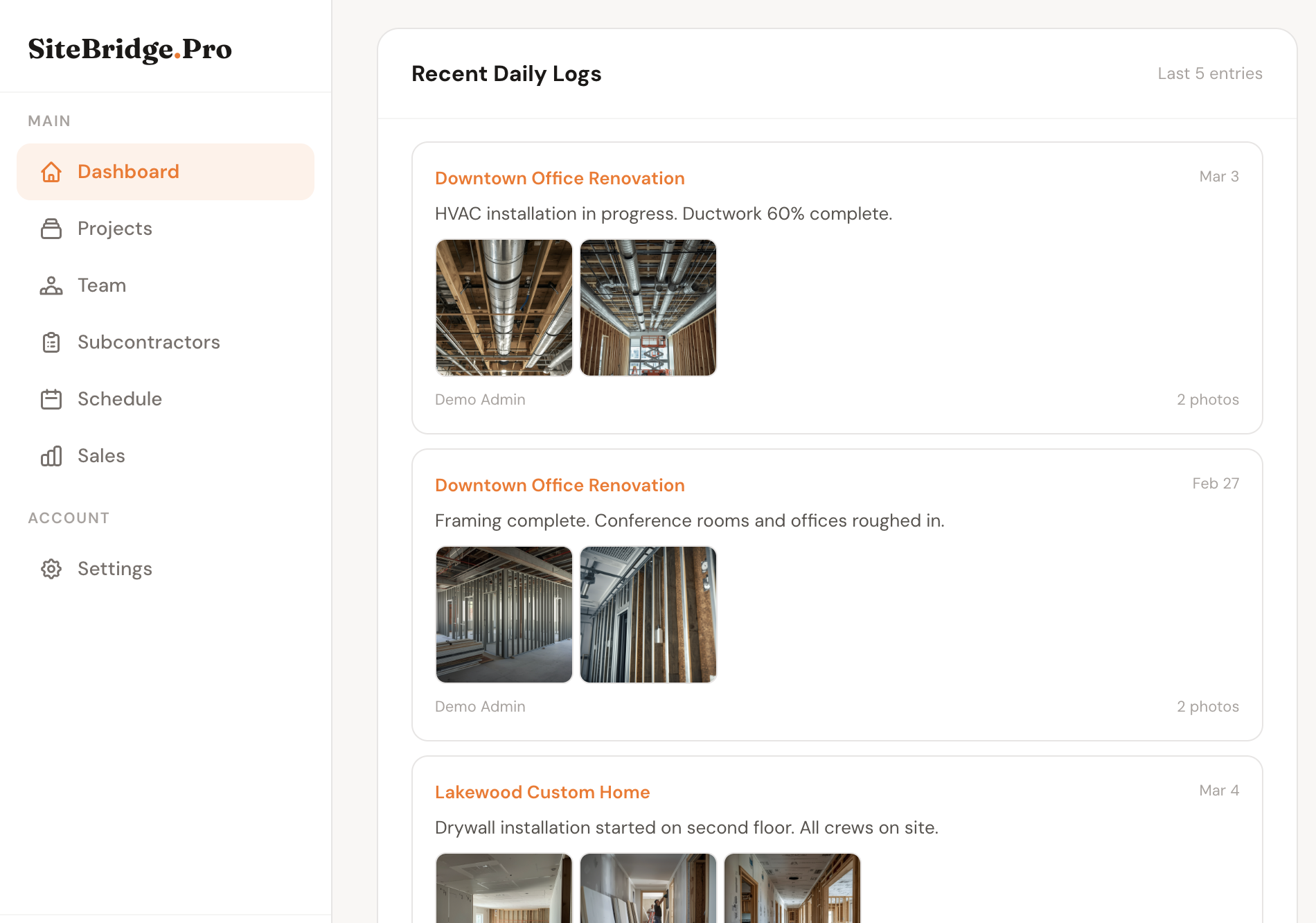
Daily logs from every project in one feed — with photos, timestamps, and crew details
From job site to office in seconds
Works in any mobile browser today. A dedicated native app for field workers is on the way — with GPS clock-in built in.
Worker opens SiteBridge on their phone
Workers open SiteBridge in any mobile browser today — iPhone, Android, anything. A dedicated native app built for field crews is coming, with GPS clock-in and offline support.
They fill out the log in under 2 minutes
A short, focused form: what work was done today, how many crew on site, any issues or delays. Then they tap the camera to add photos — as many as needed.
Photos upload straight from the camera roll
No emailing photos to yourself. Workers tap to attach photos directly from their phone. Multiple photos per log, uploaded instantly over their cell connection.
You see it in the dashboard instantly
Back at the office, your dashboard shows the latest logs across all active projects. Click into any log to see the full entry, photos, and who submitted it.
What goes into a daily log
Job Site Photos
Attach as many photos as needed to each log entry. Workers photograph work in progress, material deliveries, site conditions, or anything worth documenting. Photos are stored in the cloud and attached directly to the log — no separate file management needed.
Progress Notes
A free-text field where workers describe what actually happened that day. Framing progress, material installs, trade coordination, unexpected conditions — whatever the crew lead decides matters. These notes become your project's permanent written record.
Crew on Site
Log how many workers were on site that day. Useful for tracking labor productivity, resolving disputes about when certain work was done, and giving owners visibility into project staffing. Takes five seconds to fill in.
Who Logged It
Every log entry is tied to the team member who submitted it. Foremen, project managers, and field supers each have their own login — so you always know who documented what and when. No more anonymous sticky notes or unsigned entries.
Cross-Project Feed
Running three jobs at once? Your main dashboard shows the most recent log entries across all active projects in a single feed — so you know what happened on every site without clicking through each project individually.
Shared with Clients (Optional)
When you enable the Client Portal, homeowners and project owners can log in and see recent daily logs for their project. It replaces the weekly "how's it going?" call with a real-time feed. You control which logs are visible.
Daily logs aren't busywork — they're your paper trail
When a dispute comes up at closeout — and it will — you need to be able to show exactly what happened, when, and who was on site. Contractors who log consistently win those disputes. Ones who don't lose them.
Beyond disputes, daily logs are how owners stay engaged without being on site constantly. A quick log with two photos after each workday keeps clients informed and builds the trust that generates referrals.
Built for how field teams actually work
A native app built for workers, not managers
The browser experience works great today — but we're building a dedicated iOS and Android app designed from the ground up for field crews. Fast, focused, and built for the job site.
Common questions
Daily Logs are one piece of the platform
Stop relying on memory. Start logging.
Set up takes under 10 minutes. Invite your crew. They log from their phone tomorrow morning.