Never miss an inspection.
Never lose a result.
Schedule every required inspection, log who showed up and what they found, track re-inspections after failures, and export a complete PDF report — all attached to the right project automatically.
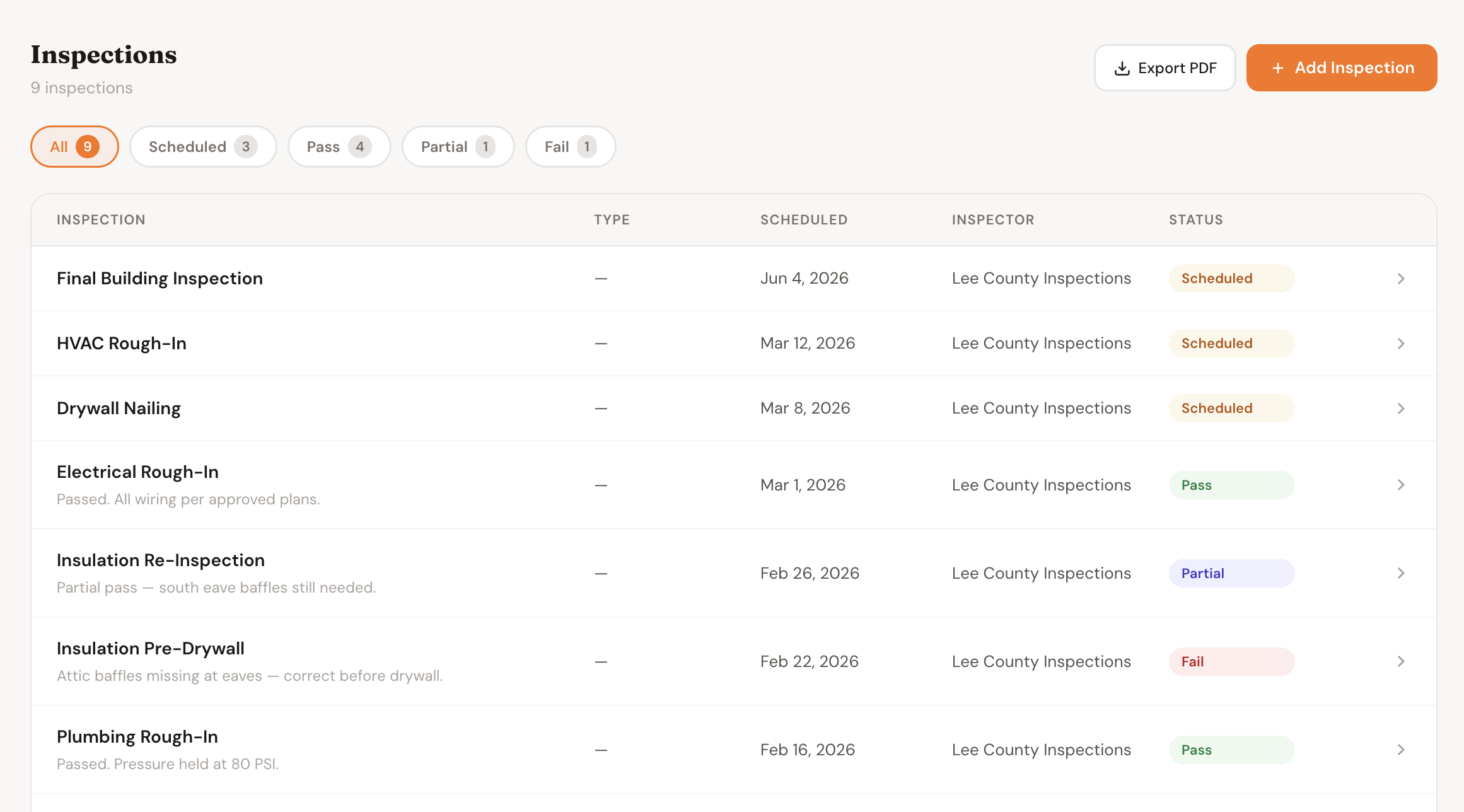
Every inspection on the project — scheduled, passed, failed, and pending re-sign-off — in one view
From scheduling to sign-off in one place
No more tracking inspections in a separate spreadsheet or chasing paper sign-offs.
Add the inspection to the project
Name it, set the type, pick a date, and enter the inspector's name and phone. Takes under a minute. Every upcoming inspection is visible on the project — nothing lives only in your head or your email.
Inspector shows up — log the result immediately
Open the inspection, update the status to Passed, Failed, or Partial, and enter the result notes from the field. Photos, correction requirements, re-inspection conditions — all attached to the inspection record.
Failed? Log the re-inspection as a follow-up
Add a re-inspection entry linked to the original. Track what was corrected and when the follow-up is scheduled. The full chain — original failure, correction, re-inspection sign-off — stays together on the project.
Export a PDF report for your records
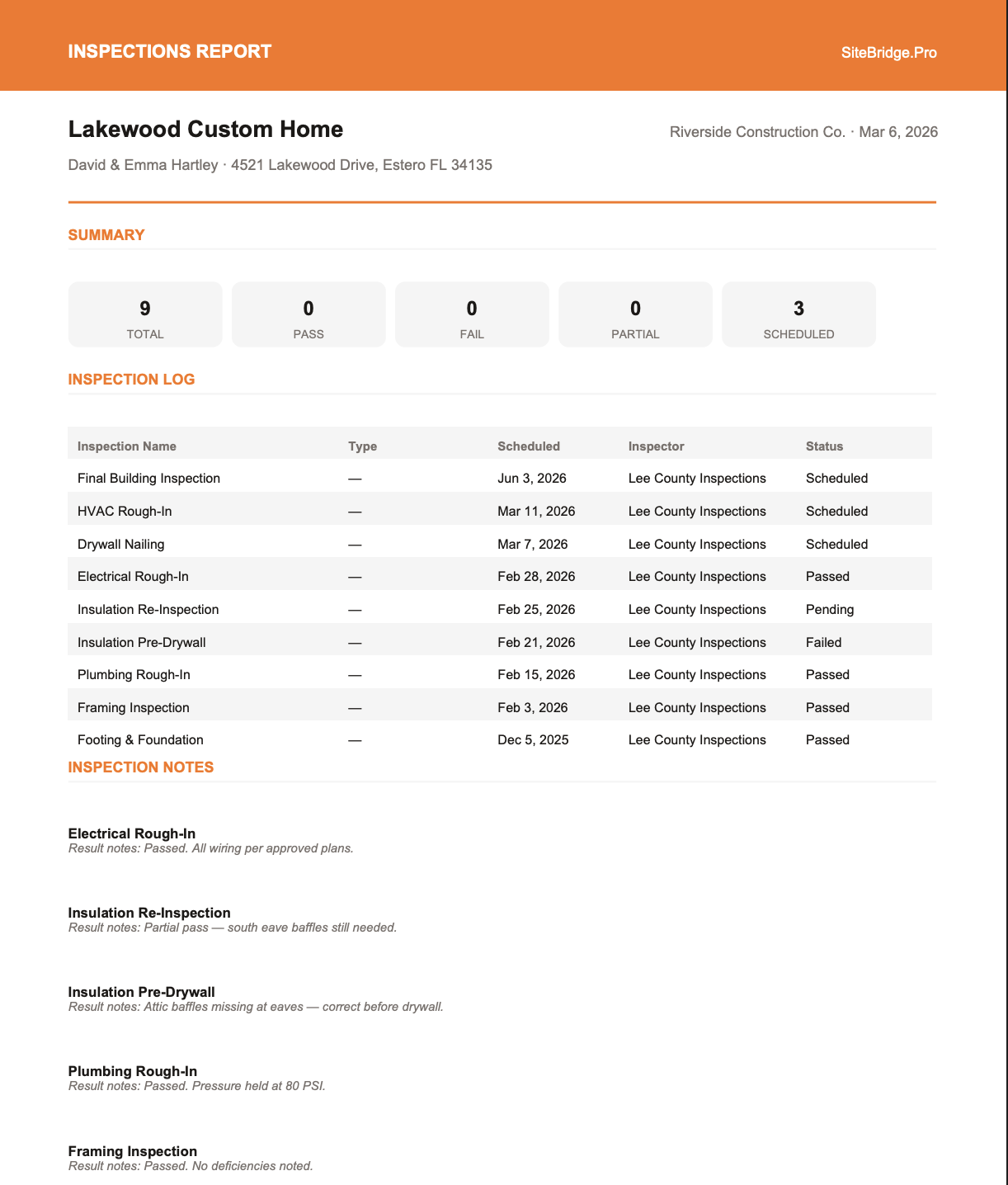
When you need to share results with an owner, submit to a lender, or keep for your files — one click exports a clean PDF with every inspection, its status, inspector, date, and result notes. Formatted and ready to send.
Every status, every stage of the process
Everything your inspection process needs
Scheduling & Inspector Info
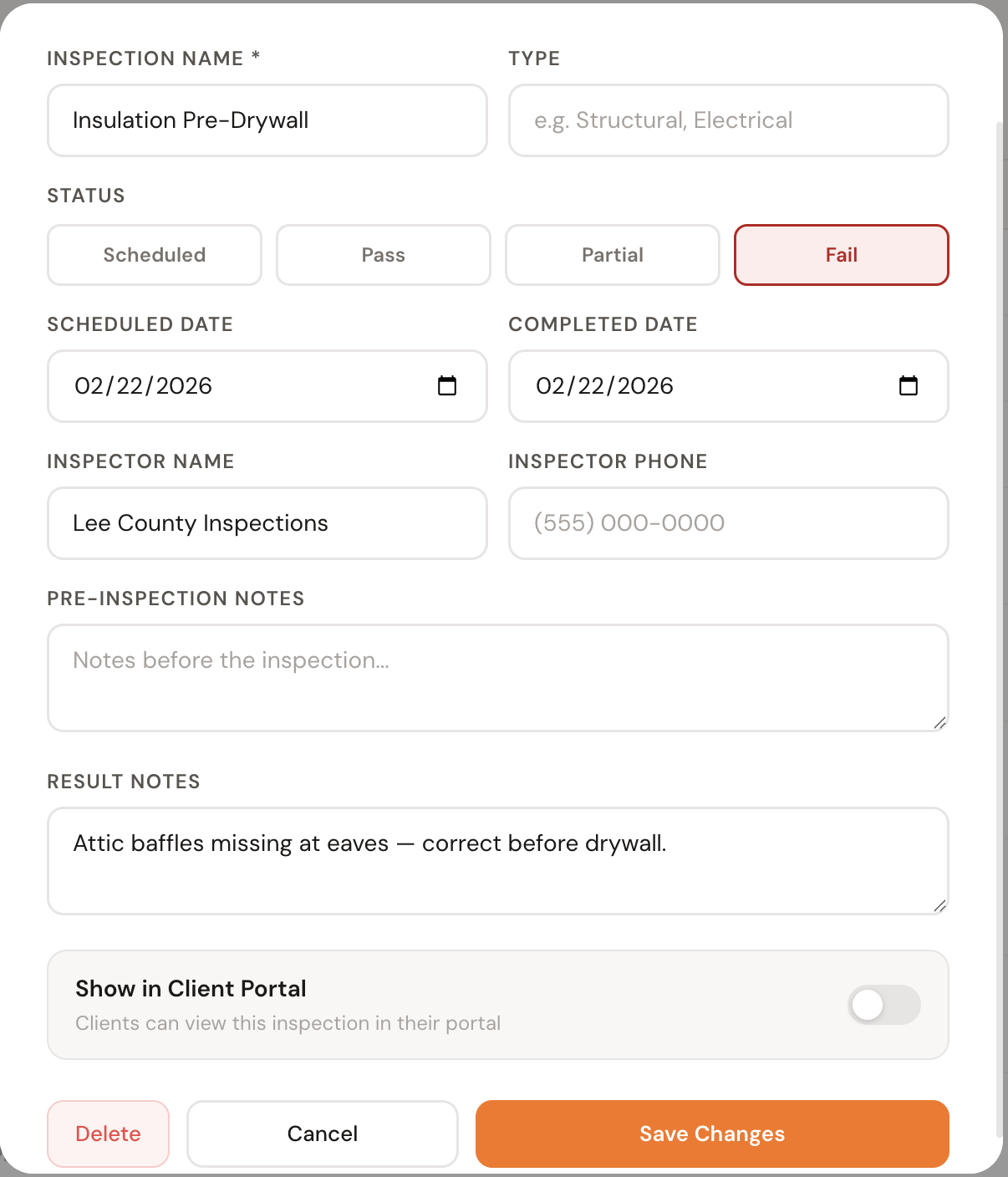
Set the inspection date, type, and inspector name and phone number when you schedule it. No more hunting through emails to find who the inspector was or when they came. All of it lives on the project.
Pass / Fail / Partial Status
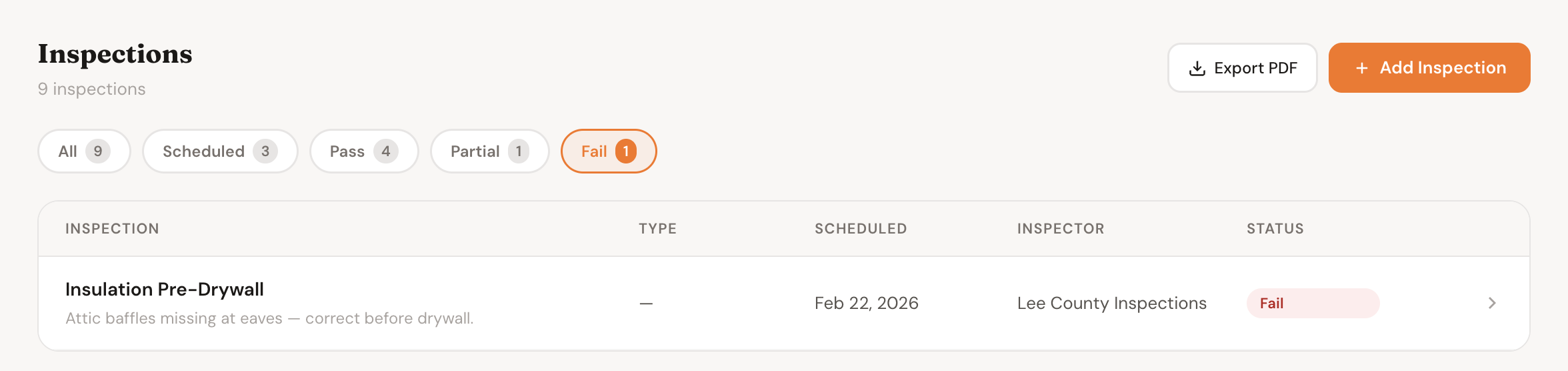
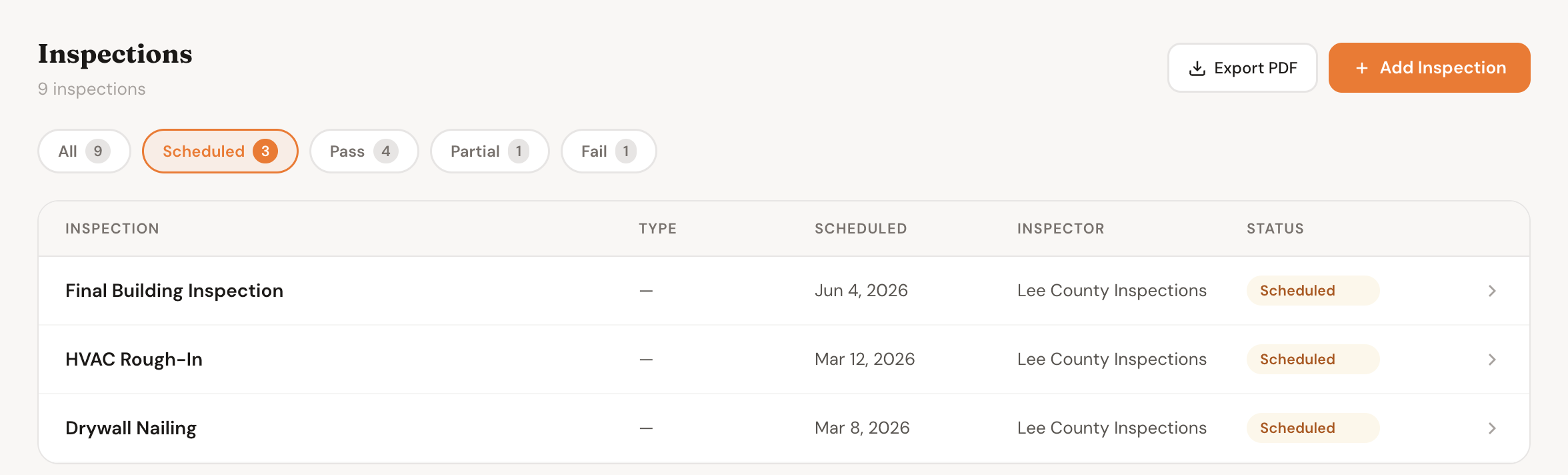
Four clear statuses — Scheduled, Passed, Failed, and Partial — each color-coded so you can scan the list and know immediately where things stand. Filter by any status to see only what you need.
Result Notes
Log exactly what the inspector said — corrections required, items approved, conditions noted. Result notes are attached to the inspection record and visible at a glance under the inspection name in the list view.
Re-Inspection Tracking
When an inspection fails, add a follow-up re-inspection entry. The full history — original inspection, result, correction, re-inspection — stays attached to the project in chronological order. Nothing gets lost.
PDF Export
One click exports a formatted PDF with every inspection on the project — name, type, scheduled date, completed date, inspector, status, and result notes. Ready to send to a lender, owner, or architect without reformatting anything.
Client Portal Visibility
Toggle individual inspections as client-visible. Owners and homeowners who have Client Portal access can see passed inspections and upcoming ones — building confidence in your process without constant status calls.
A missed inspection can stop a job for weeks
Inspections aren't optional — they're on the critical path. A failed framing inspection that isn't re-scheduled immediately delays drywall, MEP, and everything after it. Tracking them in your head or a spreadsheet means things slip.
When everything is logged — who inspected, what they found, when you corrected it — you have the documentation you need for lenders, owners, and your own records. And when something goes wrong on a job, the inspection history is right there.
Built for jobs that require inspections
Common questions
Inspections are one piece of the platform
Stop tracking inspections in your head.
Add your first project, schedule your next inspection, and have a complete record from day one.