Sales PipelineProposals your clients
Win More Bids
Proposals your clients
actually sign
Build branded, line-item proposals in minutes. Send a unique link — no app, no account required. Clients review, ask questions, and sign digitally from any device.
VIDEO PLACEHOLDER
Proposals walkthrough · ~2 min
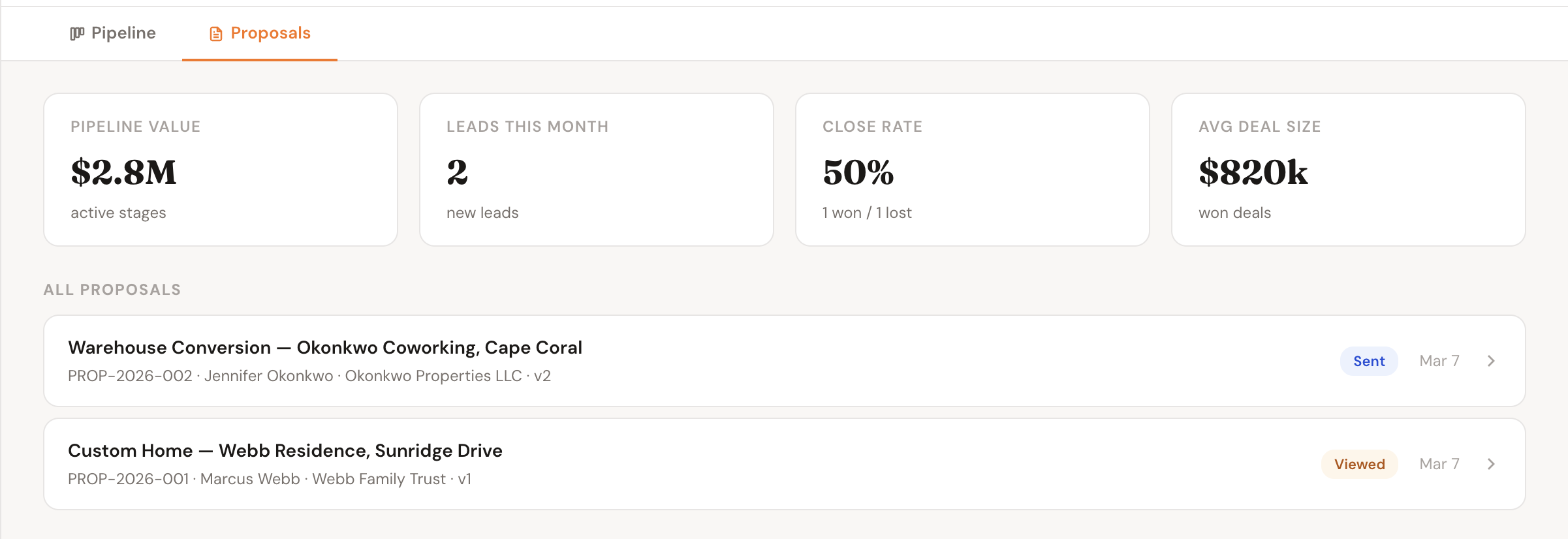
Every proposal in one view — status, client, amount, and last activity at a glance
How It Works
From blank page to signed contract
Four steps from opening the builder to a signed proposal in your files.
1
Build your proposal
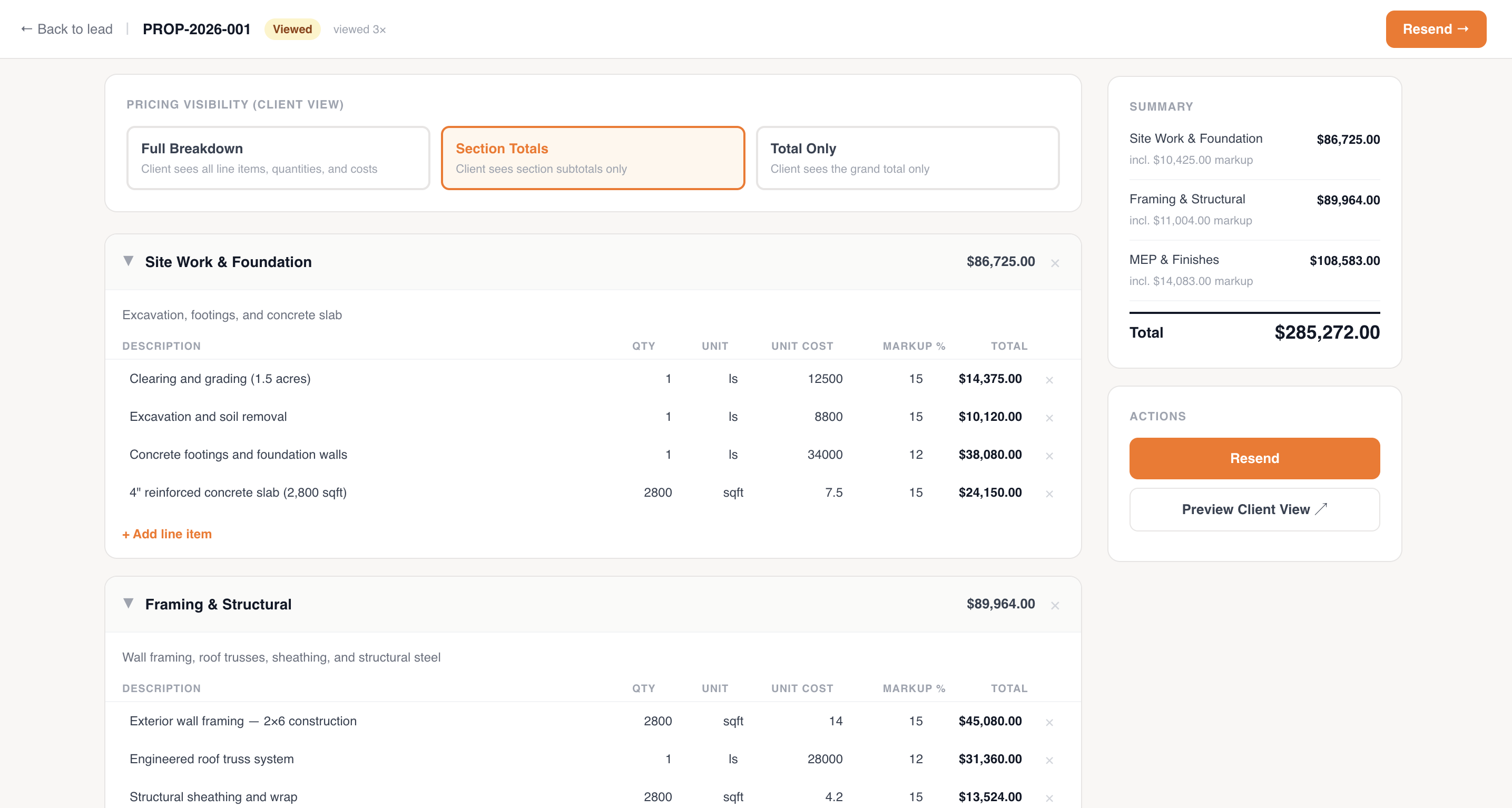
Add sections, line items, quantities, and markup. Set pricing visibility — show section totals, line-by-line, or grand total only.
2
Send the link
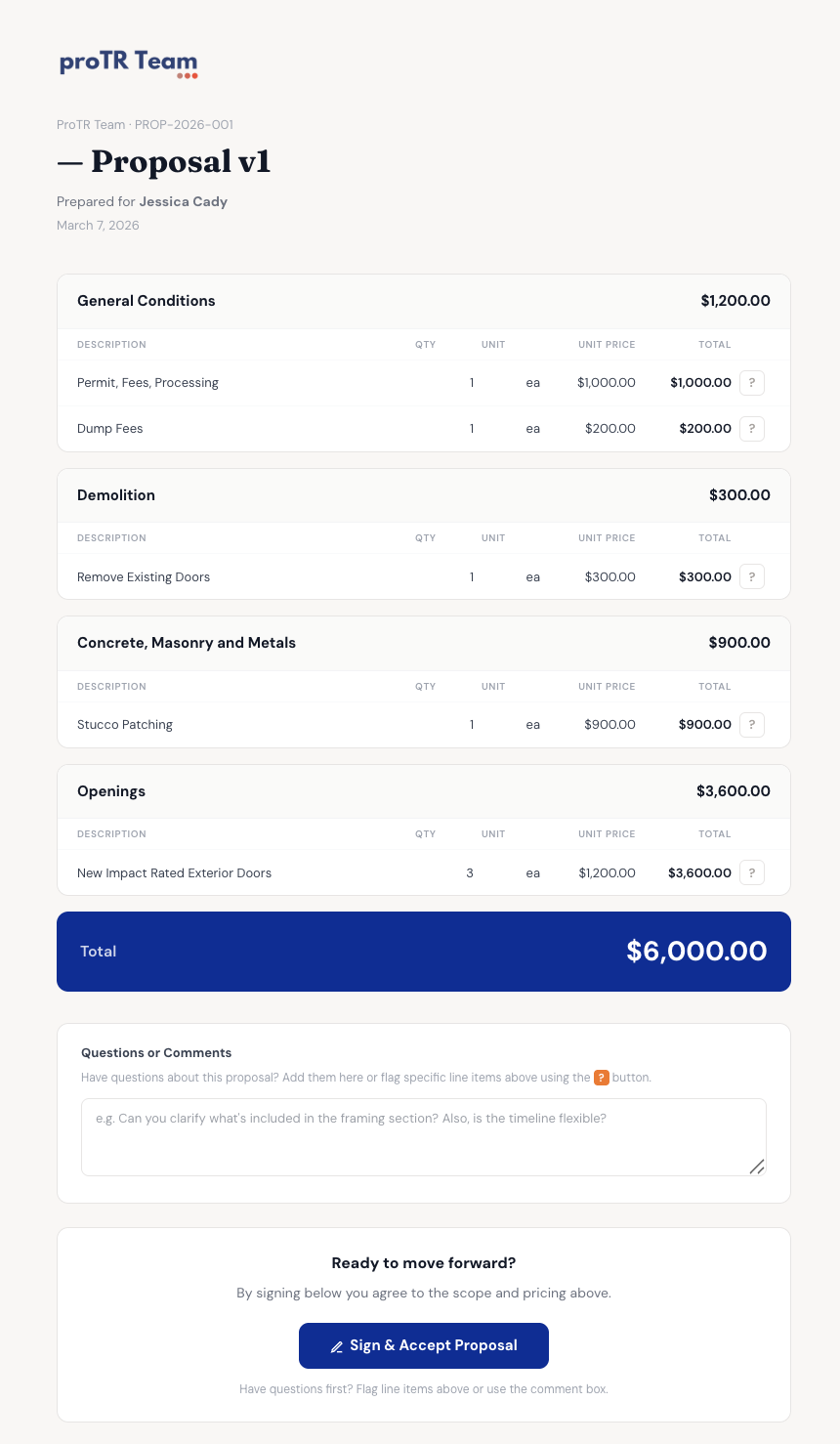
One click generates a unique client link. No app download, no account required — just a URL you can text or email.
3
Client reviews & signs
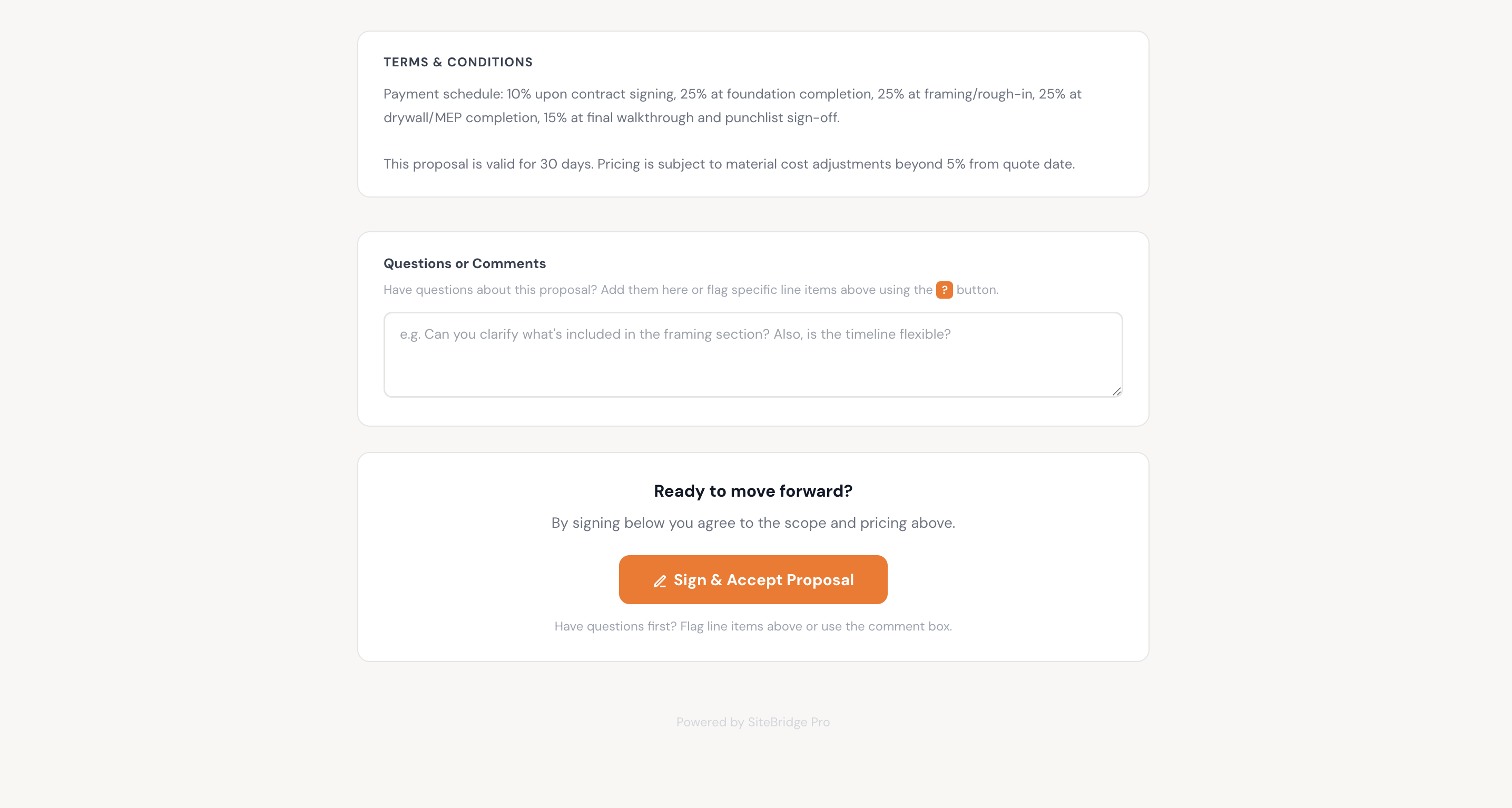
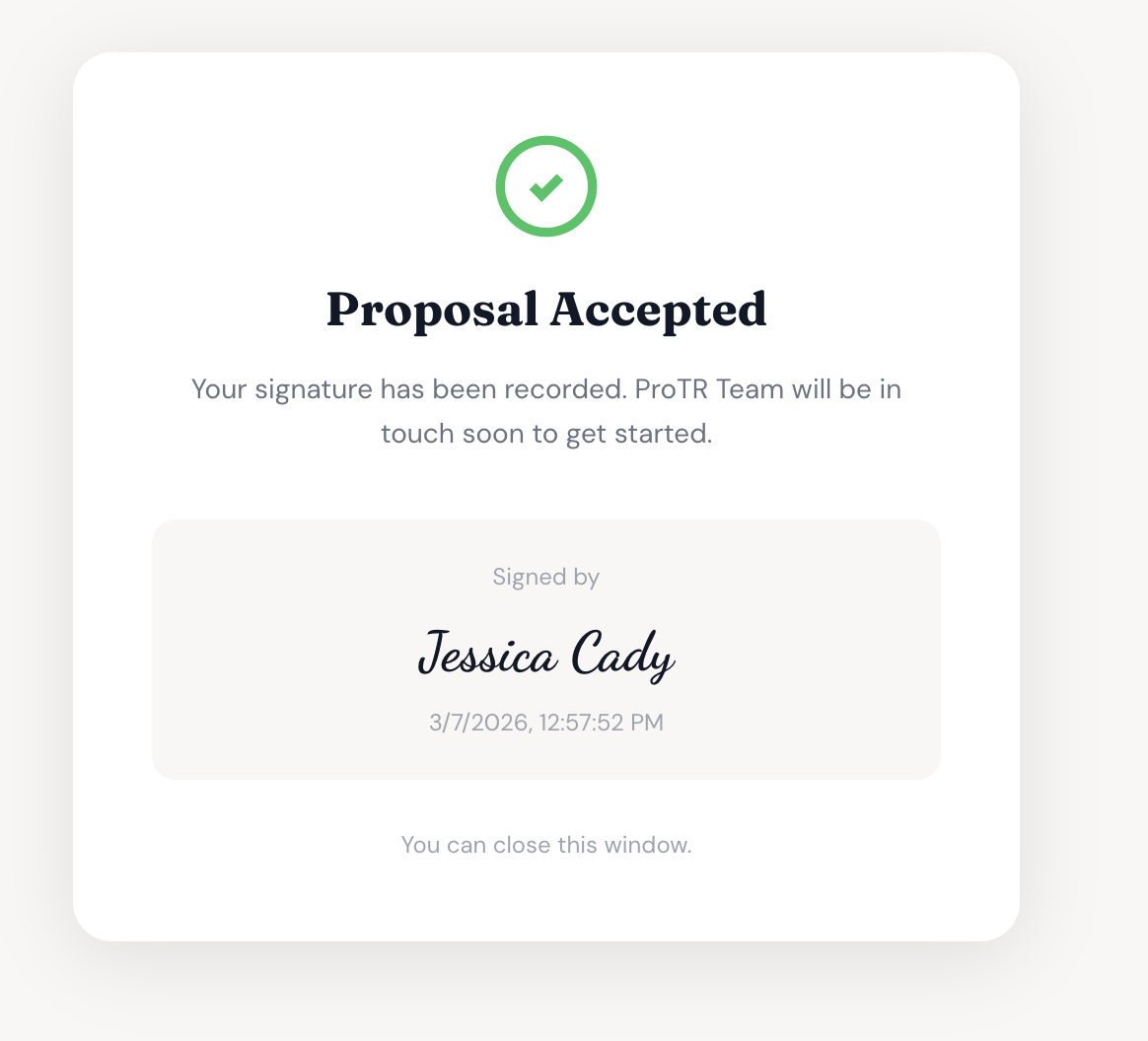
The client opens it on any device, reviews the scope and pricing, leaves comments if needed, and signs digitally.
4
Signed & stored
Signature is captured and locked. The proposal status updates to Signed and it's stored permanently in the lead record.
The Full Flow
Build it, send it, get it signed
Features
Everything a winning proposal needs
Branded Proposals
Your company logo, name, and contact info on every proposal. Clients see a polished document, not a generic form.
Line Items & Markup
Organize work into sections with line items, quantities, unit costs, and markup percentage. Total updates live as you type.
Pricing Visibility Control
Choose what the client sees — full line-item breakdown, section totals only, or grand total only. You control the level of detail.
No-Account Client Link
Send a unique URL by text or email. Clients open it on any device — no app download, no login, no friction between them and signing.
Live Status Tracking
See exactly where every proposal stands — Draft, Sent, Viewed, or Signed. Know the moment a client opens your proposal.
Client Comments
Clients can leave questions or feedback directly on the proposal. You see their comments in the lead record and can respond without leaving the app.
Why It Matters
Win the job before your competition replies
Send a polished, branded proposal in under 10 minutes — not days
Clients sign on their phone without creating an account or downloading an app
Know instantly when a client opens your proposal so you can follow up at the right moment
Keep proposals, signatures, and client comments in one place — not scattered across email threads
< 10 min
To send a polished proposal
Any device
Client can sign on phone, tablet, or desktop
Real-time
Status updates the moment a client opens or signs
Zero friction
No app or account needed for the client to sign
Who It's For
Built for contractors who want to close faster
Custom Home Builders
Send detailed, section-by-section breakdowns for large jobs. Clients see exactly what they're getting without a 30-minute phone call.
Remodelers & Renovators
Quickly build scoped proposals for kitchen, bath, and addition projects. Get signed before the client gets a second quote.
Specialty Trades
HVAC, electrical, plumbing — send a professional proposal from your phone on the way back from a site visit.
General Contractors
Manage proposals across multiple leads at once. Track which ones are out, viewed, and pending — all in one pipeline.
FAQ
Common questions
Does my client need an account to sign?
No. The client gets a unique link and can review and sign directly in their browser — no account, no app, no password.
Can I control what pricing detail the client sees?
Yes. You can show the full line-item breakdown, section totals only, or just the grand total. You choose per proposal.
Is the digital signature legally binding?
Yes. We capture a timestamped digital signature with IP address and device info, which meets the requirements of the ESIGN Act and most equivalent legislation.
Can clients leave feedback before signing?
Yes. Clients can leave comments on the proposal and you'll see them in the lead record inside SiteBridge Pro.
What happens after a proposal is signed?
The proposal is locked, the signature is stored, and the status updates to Signed. You can then convert the lead to an active project with one click.
Can I send multiple proposals for the same lead?
Yes. You can create multiple proposals per lead — useful for offering different scope or pricing options to the same client.
Related Features
Proposals work best with
Sales Pipeline
Track every lead from first contact to signed contract in a kanban pipeline.
Learn more
Daily Logs
Once the contract is signed, keep clients updated with photo-rich daily progress logs.
Learn more
Inspections
Schedule and track every inspection — document results and keep projects moving.
Learn more
Get Started
Send your first proposal today
No credit card required. Set up your company, build a proposal, and share it with a client — all in under 15 minutes.